
What Causes an iPhone to Stop Responding to Fingerprint Touch, and How Can It Be Fixed?
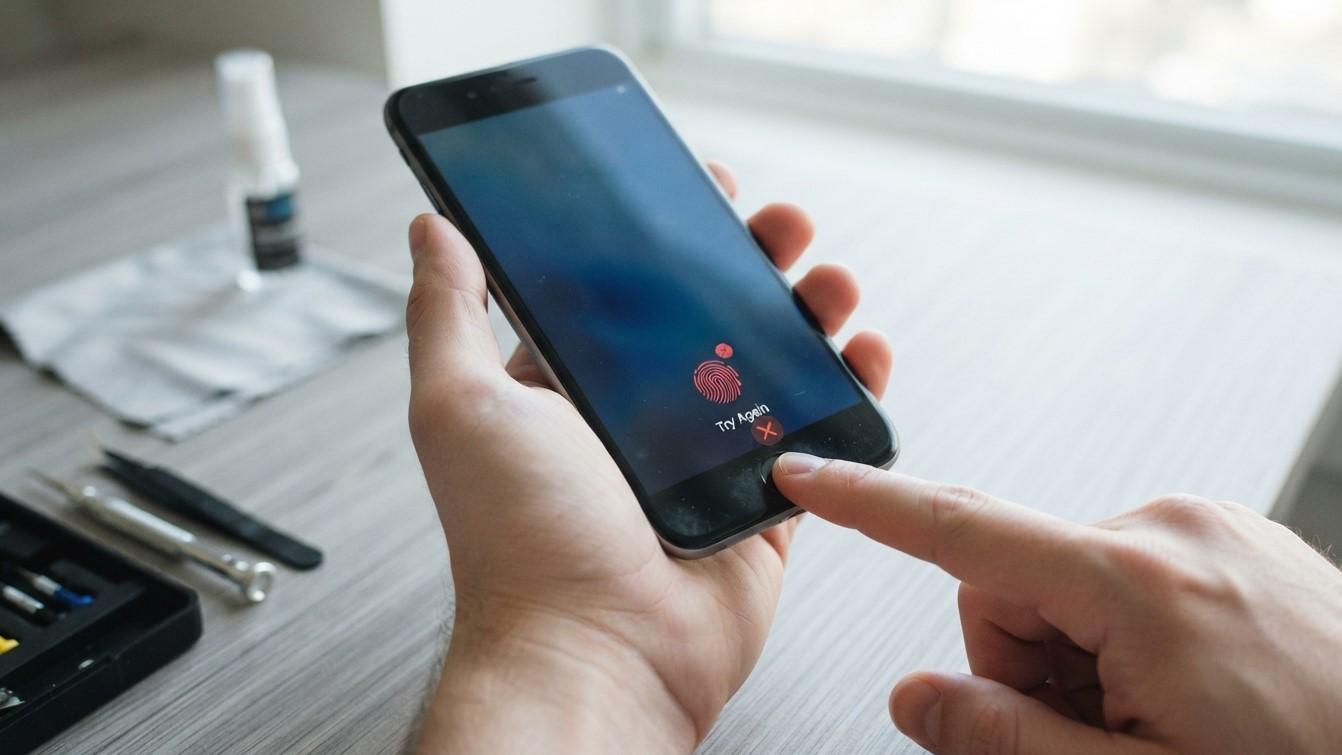
An iPhone that stops responding to fingerprint touch can make unlocking your device and accessing secure apps frustrating. If Touch ID suddenly stops recognizing your fingerprint, the cause may be a dirty sensor, software glitch, damaged Home button, or internal hardware problem.
Understanding why this happens can help you choose the right solution. Whether you use an older iPhone model or rely on Touch ID for everyday security, iPC Repair Houston can help you understand when professional cell phone repair Houston services may be needed.
Table of Contents
-
How Does iPhone Fingerprint Recognition Work?
-
Common Reasons Touch ID Stops Working
-
How to Fix an iPhone Fingerprint Problem
-
When Should You Seek Professional Repair?
-
Frequently Asked Questions
-
Contact iPC Repair Houston
1. How Does iPhone Fingerprint Recognition Work?
Apple's Touch ID technology uses a fingerprint sensor to recognize the unique patterns of your finger. Depending on the iPhone model, the sensor is built into the Home button or integrated into the power button.
When Touch ID works correctly, it allows you to unlock your phone, authorize purchases, and access supported apps securely.
If the sensor cannot read your fingerprint accurately, your iPhone may display a message saying Touch ID is unavailable or fail to recognize your finger.
2. Common Reasons Touch ID Stops Working
Several issues can prevent your iPhone from recognizing fingerprints.
Dirty or Wet Fingerprint Sensor
Dust, oil, moisture, and dirt can interfere with fingerprint detection. Even a small amount of residue may affect the sensor's ability to read your fingerprint.
Damaged Home Button or Sensor
Accidental drops, pressure, or physical damage can affect the fingerprint sensor. If the Home button is cracked or malfunctioning, Touch ID may stop working.
Software Glitches
Temporary iOS errors can sometimes interfere with fingerprint recognition. An outdated operating system or software problem may also affect Touch ID functionality.
Incorrect Fingerprint Registration
If your fingerprint was not registered properly, or your finger has changed due to cuts, dryness, or moisture, the sensor may struggle to recognize it.
Internal Hardware Problems
Damage to internal connections or components can prevent the fingerprint sensor from communicating correctly with the phone.
3. How to Fix an iPhone Fingerprint Problem
Try these troubleshooting steps before considering professional repair:
-
Clean the sensor: Use a clean, soft, lint-free cloth to remove dirt and oil.
-
Dry your hands: Make sure your finger and the sensor are completely dry.
-
Restart your iPhone: Restarting may resolve temporary software problems.
-
Check Touch ID settings: Open Settings > Touch ID & Passcode and confirm that Touch ID is enabled.
-
Re-register your fingerprint: If possible, remove the existing fingerprint and register it again.
-
Update iOS: Install available software updates to address potential system issues.
If Touch ID remains unavailable, avoid pressing or attempting to open the sensor yourself.
4. When Should You Seek Professional Repair?
If the fingerprint sensor stops working after a drop, liquid exposure, or physical damage, professional inspection may be necessary. A technician can examine the Home button, sensor, and related internal components to identify the problem.
For users seeking dependable cell phone repair Houston assistance, iPC Repair Houston can help assess smartphone problems and determine appropriate repair options.
Keep in mind that Touch ID components are security-paired with the iPhone. Replacing a damaged Home button with an ordinary replacement part may not restore fingerprint recognition. The available repair options depend on the model and the type of damage.
5. Frequently Asked Questions
Why is my iPhone not recognizing my fingerprint?
A dirty sensor, wet finger, incorrectly registered fingerprint, software issue, or hardware damage may prevent recognition.
Can I fix Touch ID without professional help?
Yes. Cleaning the sensor, restarting the phone, and checking fingerprint settings may resolve minor problems.
Can a broken Home button affect Touch ID?
Yes. Physical damage to the Home button or fingerprint sensor can interfere with Touch ID functionality.
Will updating iOS fix fingerprint recognition?
An update may resolve software-related problems, but it cannot repair a physically damaged sensor.
6. Contact iPC Repair Houston
When your iPhone stops responding to fingerprint touch, identifying the underlying cause is important. Simple cleaning or software troubleshooting may help, but persistent problems could require professional attention.
If your Touch ID is still not working, visit iPC Repair to explore professional assistance. Contact iPC Repair Houston for support with your smartphone repair needs and help getting your device functioning properly again.

 Polish
 English
 Arabic
 French
 Spanish
 Portuguese
 Deutsch
 Turkish
 Dutch
 Russian
 Romaian
 Portuguese (Brazil)
 Greek