What Causes Desktop USB Ports to Stop Working? Troubleshooting Tips and Solutions
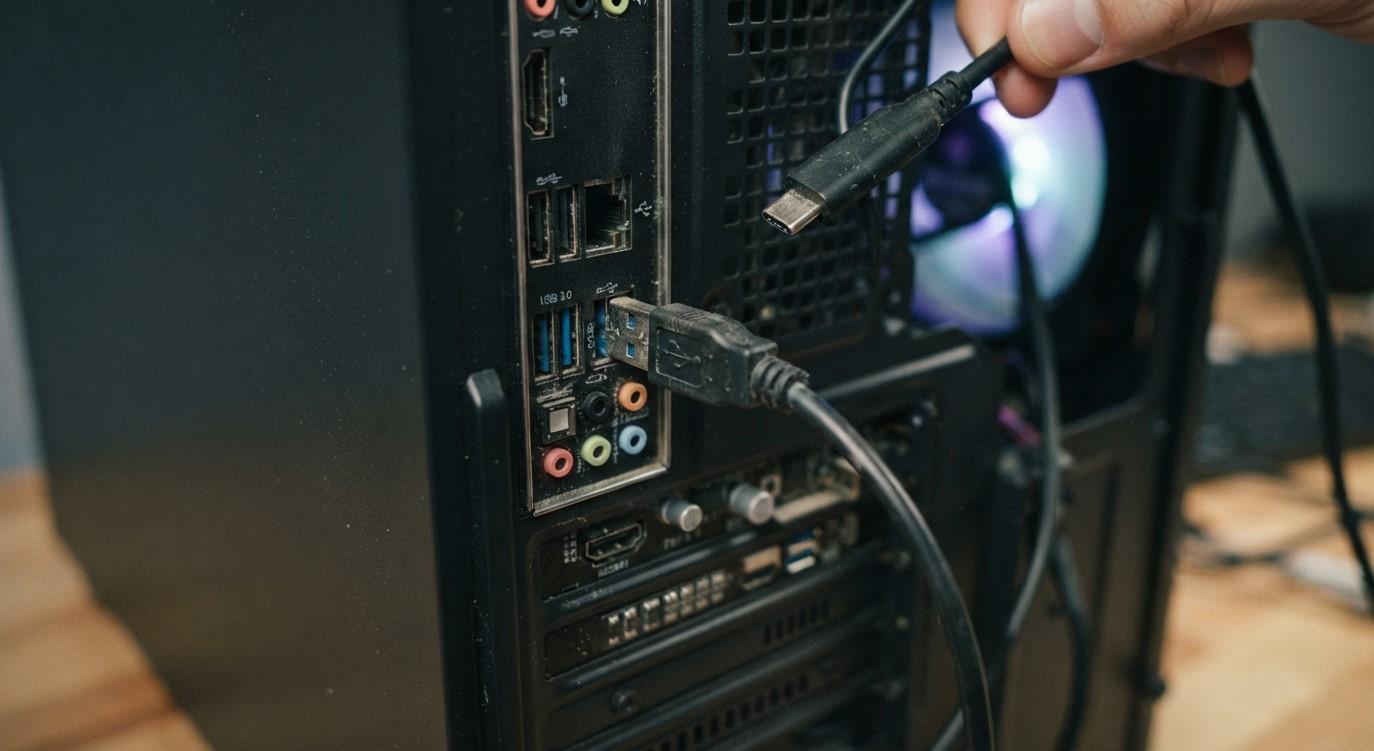
Desktop USB ports allow users to connect keyboards, mice, printers, external drives, and other essential devices. When these ports suddenly stop working, everyday computer tasks can become difficult. The problem may be caused by outdated drivers, incorrect system settings, damaged ports, or motherboard issues. Understanding these causes can help you find the right solution. If troubleshooting becomes difficult, computer repair Albany services can help identify and resolve persistent USB problems.
Table of Contents
-
Common Reasons Desktop USB Ports Stop Working
-
Troubleshooting Tips and Solutions
-
When to Seek Professional Repair
-
Frequently Asked Questions
1. Common Reasons Desktop USB Ports Stop Working
Several hardware and software problems can prevent desktop USB ports from recognizing connected devices.
Outdated or Corrupted USB Drivers
USB drivers help your operating system communicate with connected devices. If drivers become outdated, corrupted, or incompatible, your desktop may fail to recognize keyboards, storage devices, and other USB accessories.
Damaged USB Ports
Frequent plugging and unplugging can loosen internal connections or damage the port. Bent pins, physical damage, and accumulated dust can also prevent proper contact.
Power Supply Problems
USB devices require electrical power to function. If the computer's power supply or USB power delivery is unstable, connected devices may fail to operate correctly.
Incorrect BIOS or System Settings
Some BIOS or operating system settings can disable USB functionality. Changes to these settings may prevent certain ports from working.
Motherboard Issues
The USB controllers responsible for managing USB connections are integrated into the motherboard. Hardware faults or damaged circuitry can cause multiple USB ports to stop responding.
2. Troubleshooting Tips and Solutions
Try these steps to determine why your desktop USB ports are not working.
Restart Your Desktop
Restarting your computer can resolve temporary operating system or USB controller glitches. Disconnect unnecessary USB accessories, restart the desktop, and test the affected port again.
Test Different USB Devices
Connect another keyboard, mouse, or USB drive to the same port. If the second device works, the original accessory may be defective rather than the port.
Try Different USB Ports
Connect your device to another USB port, including one located on the back of the desktop. If rear ports work but front ports do not, the front USB connections or their internal cables may be damaged or disconnected.
Update USB Drivers
Open Device Manager in Windows and expand Universal Serial Bus controllers. Check the listed devices for driver issues and install available updates through Windows Update or the computer manufacturer's official website.
Check Power Management Settings
Some Windows power-saving settings can temporarily disable USB devices. Review the USB Root Hub properties in Device Manager and check the Power Management tab, if available. Adjust the settings carefully and restart your computer.
Inspect Ports for Physical Damage
Look for visible dust, bent connectors, or loose ports. Avoid inserting metal objects or liquids into USB connections. If a port appears damaged, have it inspected by a technician.
3. When to Seek Professional Repair
If several USB ports stop working simultaneously, the problem may involve USB controllers, motherboard circuitry, internal wiring, or power delivery.
Professional technicians can test individual ports, inspect internal connections, diagnose driver problems, and determine whether hardware replacement is necessary. Choosing the best computer repair in Albany can help you get an accurate diagnosis and avoid unnecessary component replacements.
4. Frequently Asked Questions
Why do my desktop USB ports suddenly stop working?
Common causes include driver problems, damaged ports, power issues, incorrect settings, and motherboard faults.
Why do front USB ports stop working while rear ports still function?
The front USB ports may have loose internal cables, damaged connectors, or a connection problem with the motherboard.
Can outdated USB drivers cause connection problems?
Yes. Corrupted or outdated drivers can prevent Windows from recognizing connected USB devices.
How do I know if a USB port is physically damaged?
A loose connection, bent pins, visible damage, or devices disconnecting when the cable moves may indicate physical damage.
Can a motherboard problem affect all USB ports?
Yes. A faulty USB controller or damaged motherboard circuitry can cause multiple ports to stop working.
Get Professional Desktop USB Repair Assistance
Nonworking USB ports can interrupt important tasks and prevent you from using essential computer accessories. Testing different devices, updating drivers, and checking connections may resolve simple problems, but persistent failures can require professional diagnosis.
If your desktop USB ports continue to malfunction, visit Computer Repair Albany for help with computer troubleshooting and hardware issues. Explore available repair services at https://computerrepairalbany.net/.

 Polish
 English
 Arabic
 French
 Spanish
 Portuguese
 Deutsch
 Turkish
 Dutch
 Italiano
 Russian
 Romaian
 Greek