
Why Is Your iPhone Camera Blurry? Common Causes and Ways to Improve Photo Quality
A blurry iPhone camera can make capturing important moments frustrating. Whether your photos look unclear, your camera struggles to focus, or images appear hazy, several factors may affect picture quality. Common causes include dirty camera lenses, incorrect settings, software glitches, or physical damage. Precision Fix helps smartphone users find reliable repair solutions, including iPhone screen repair Albany, to keep their devices functioning properly.
In this article, we'll explore why your iPhone camera becomes blurry and how to improve photo quality with simple troubleshooting steps.
Table of Contents
-
Common Reasons Your iPhone Camera Is Blurry
-
How to Fix Blurry iPhone Camera Problems
-
When to Seek Professional iPhone Repair
-
Frequently Asked Questions
-
Final Thoughts and Call to Action
1. Common Reasons Your iPhone Camera Is Blurry
Understanding the cause can help you choose the right solution.
Dirty Camera Lens
Fingerprints, dust, and smudges can cover the camera lens, making photos appear cloudy or blurry.
Incorrect Camera Focus
Your iPhone may focus on the wrong object, especially when capturing close-up photos or scenes with multiple subjects.
Camera Lens Damage
Scratches, cracks, or physical damage can affect image clarity and make it difficult to capture sharp pictures.
Software Glitches
Temporary iOS errors or outdated software may cause camera applications to behave unexpectedly.
Low Lighting Conditions
Poor lighting can make photos appear grainy or blurry, particularly when capturing moving subjects.
2. How to Fix Blurry iPhone Camera Problems
Try these practical troubleshooting methods to improve your camera performance.
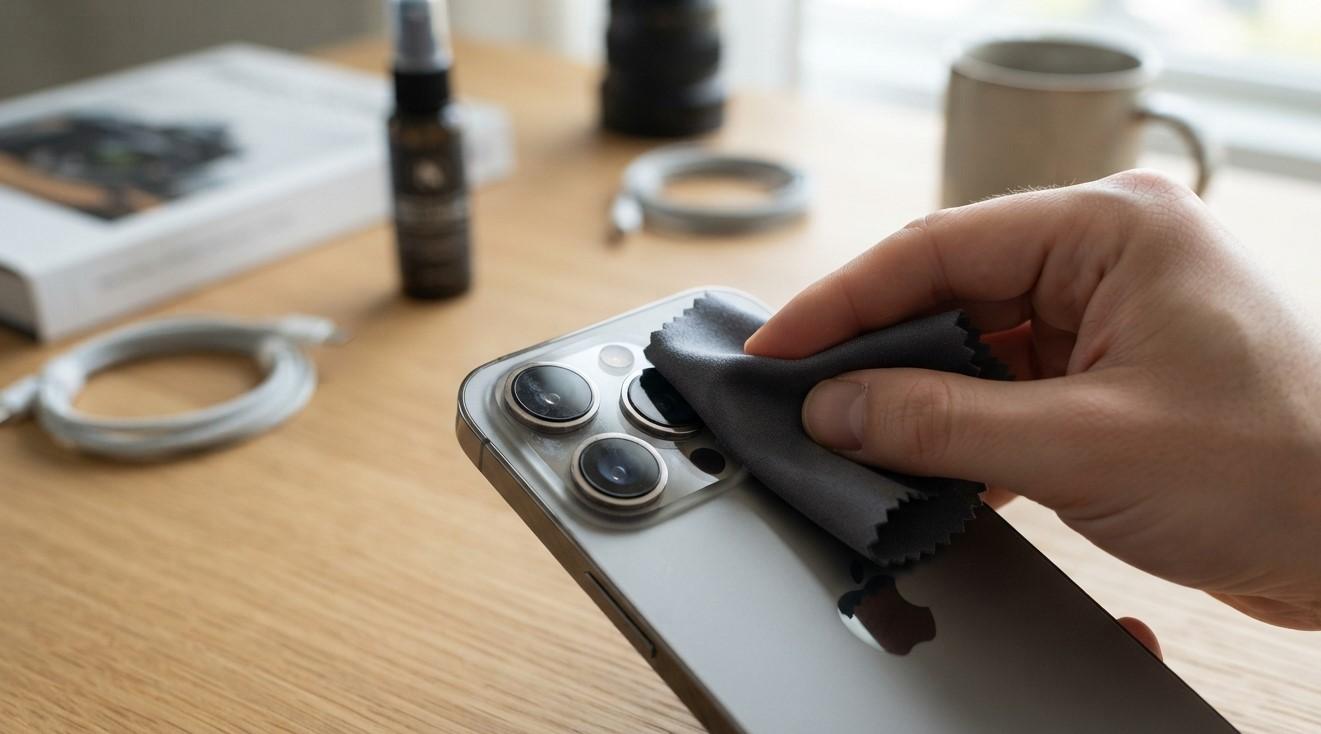
Clean the Camera Lens
Use a soft, lint-free microfiber cloth to gently clean the camera lens. Avoid rough materials that could scratch the surface.
Adjust Camera Focus
Open the Camera app and tap the subject you want to photograph. This helps your iPhone focus on the correct area.
Restart Your iPhone
Restarting your device can resolve temporary software glitches affecting camera performance.
Check Camera Settings
Make sure you are using the appropriate camera mode and lens for your photography needs. Avoid unnecessary digital zoom, which can reduce image quality.
Update iOS
Navigate to Settings > General > Software Update and install available updates to address potential software issues.
Remove Camera Lens Accessories
If you use a camera lens protector, remove it temporarily and check whether image clarity improves. Scratched or poorly fitted accessories can affect photos.
3. When to Seek Professional iPhone Repair
If your camera continues producing blurry images after troubleshooting, the problem may involve damaged camera lenses, autofocus components, or internal hardware.
Avoid attempting to open your iPhone or repair sensitive camera components yourself. Professional diagnosis can help identify the actual issue.
If your device also has display damage, professional iPhone screen repair Albany services can help address screen-related concerns alongside other smartphone problems.
4. Frequently Asked Questions
Why is my iPhone camera blurry all of a sudden?
Dirty lenses, camera damage, software glitches, or focusing problems may cause sudden image quality changes.
Can cleaning the camera lens improve photo quality?
Yes. Removing fingerprints, dust, and smudges can significantly improve image clarity.
Why does my iPhone camera struggle to focus?
Incorrect positioning, low lighting, lens obstruction, or autofocus problems may affect focusing.
Can an iOS update fix camera problems?
Yes. Software updates may resolve camera-related bugs and improve overall functionality.
When should I repair my iPhone camera?
Seek professional inspection if the camera remains blurry, produces unusual spots, or cannot focus after basic troubleshooting.
5. Final Thoughts and Call to Action
A blurry iPhone camera can result from dirty lenses, incorrect focus, poor lighting, software problems, or physical damage. Fortunately, simple steps such as cleaning the lens, adjusting focus, and updating iOS may restore image clarity.
For dependable smartphone troubleshooting and repair assistance, visit Precision Fix. Whether you need help diagnosing camera problems or require iPhone screen repair Albany, Precision Fix can help you explore the right solutions to keep your smartphone working smoothly.

 Polish
 English
 Arabic
 French
 Spanish
 Portuguese
 Deutsch
 Turkish
 Dutch
 Russian
 Romaian
 Portuguese (Brazil)
 Greek